
Online registration that fills your divisions for you
Families register players, goalies and referees online in a few minutes. You set the divisions, prices and deadlines; SportsNavio handles spots, waiting lists, payments and receipts.
On this page
- ✓ Every division on one registration page
- ✓ A registration form families finish on their phone
- ✓ See who has registered and who still owes
- ✓ Discount codes for families and sponsors
- ✓ Ask exactly what your league needs
- ✓ More SportsNavio features
- ✓ How to set up registration payments for a new season
- ✓ Common questions
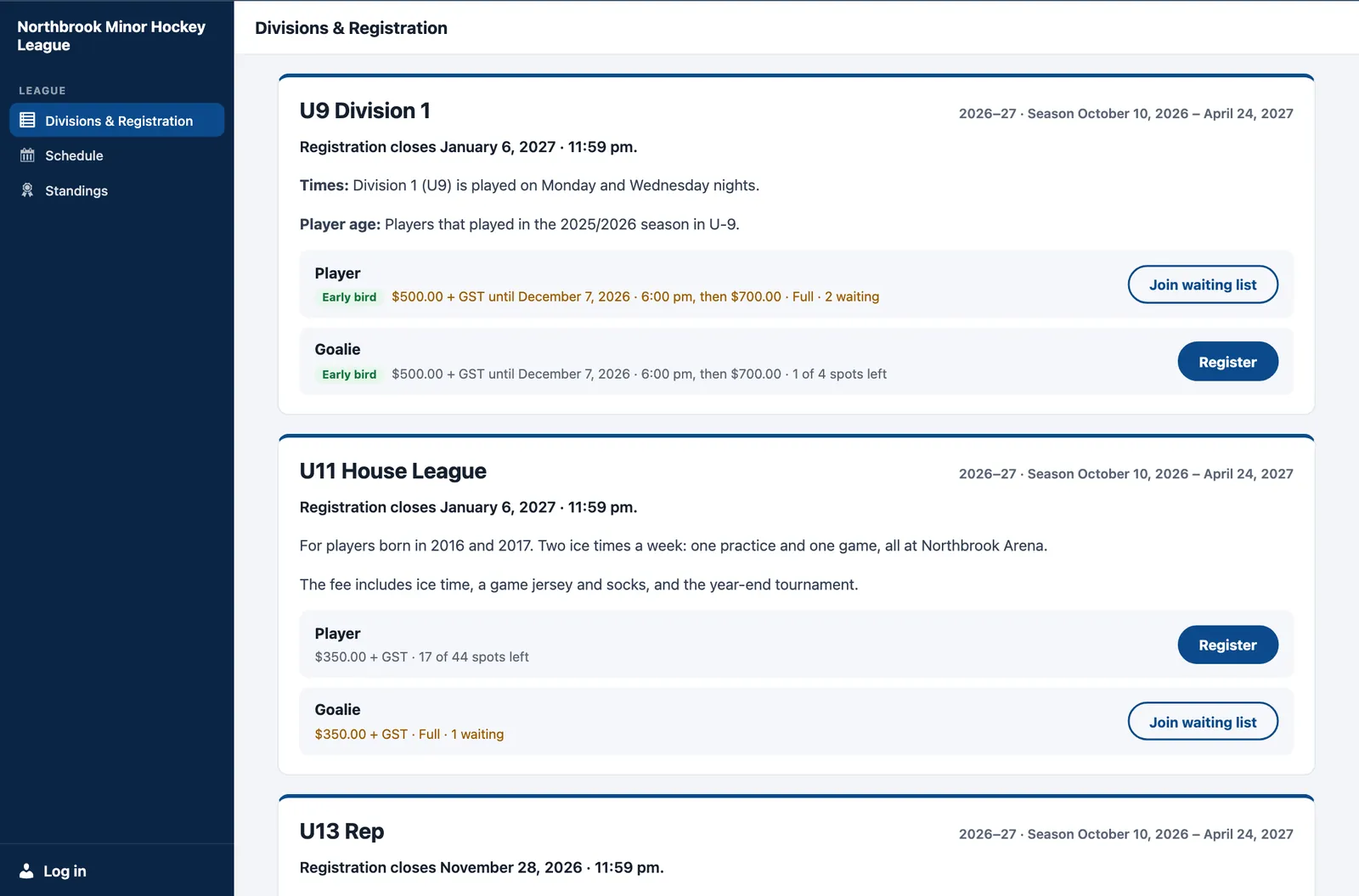
Every division on one registration page
Each division shows its season dates, who it is for, the fee and how many spots are left. Families see early-bird prices, full divisions and waiting lists at a glance.
- Player, goalie and referee spots with their own prices
- Early-bird pricing that switches over on the date you choose
- Registration closes automatically at your deadline
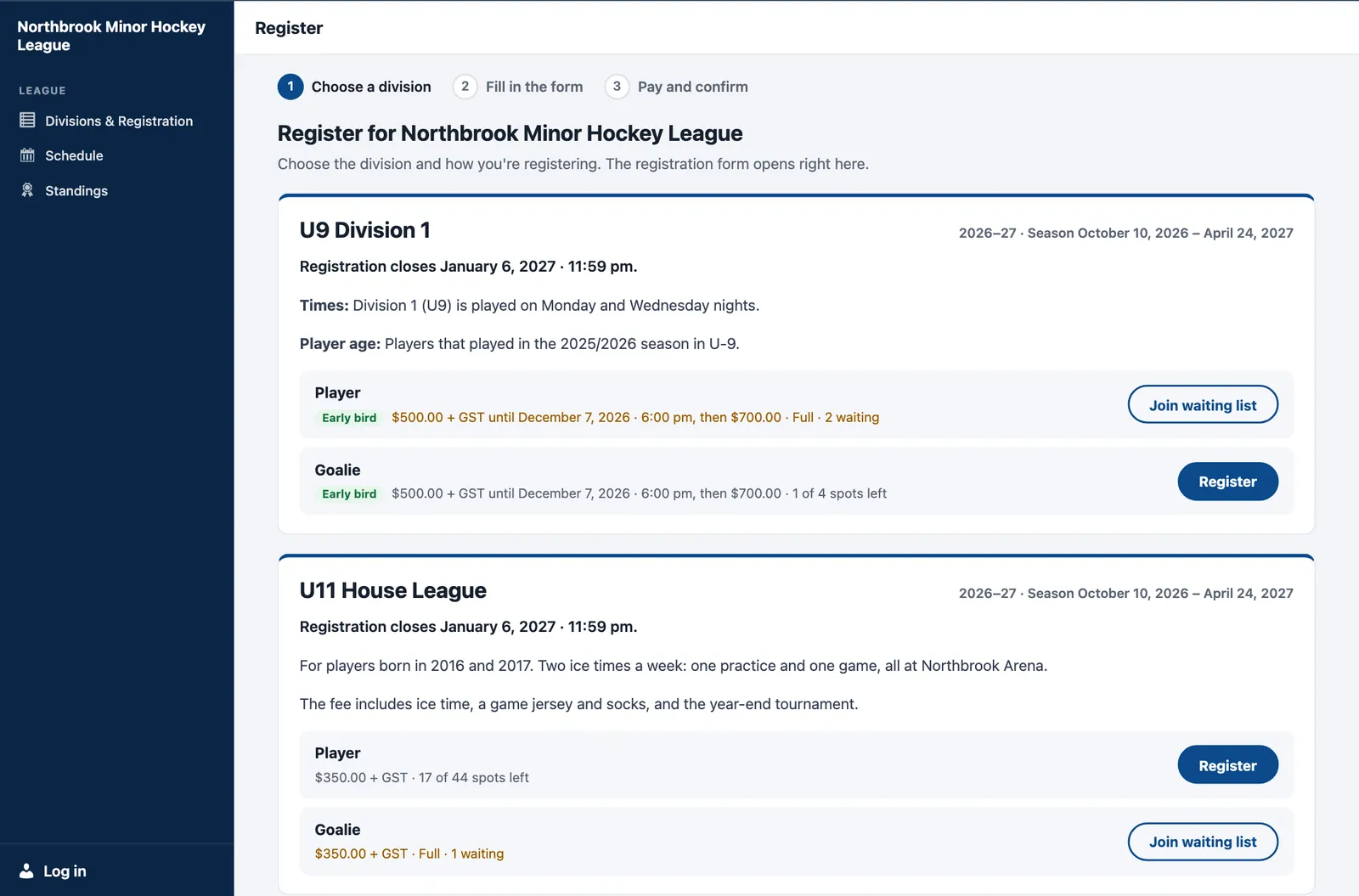
A registration form families finish on their phone
Parents choose a division, fill in the form and pay online, or by e-Transfer, cash or cheque if your league prefers.
- Works on any phone, no app needed
- Parent and guardian contacts collected for coaches
- Your own questions, waivers and medical notes
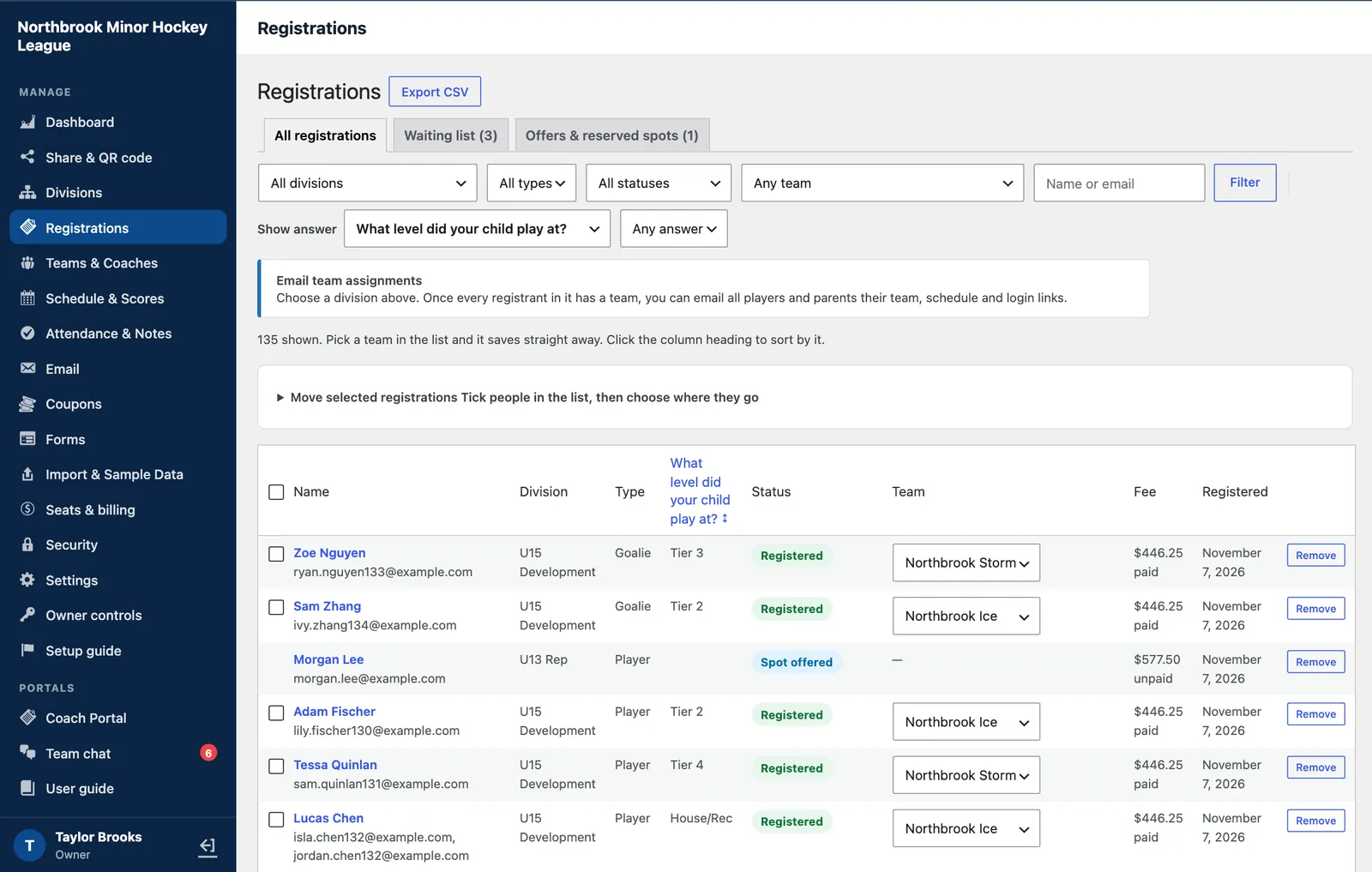
See who has registered and who still owes
Every registration lands in one list with its payment status. Mark e-Transfers and cash as paid and move players between divisions and teams.
- Card payments through Stripe, or e-Transfer, cash and cheque
- Payment receipts for families
- Export to a spreadsheet any time
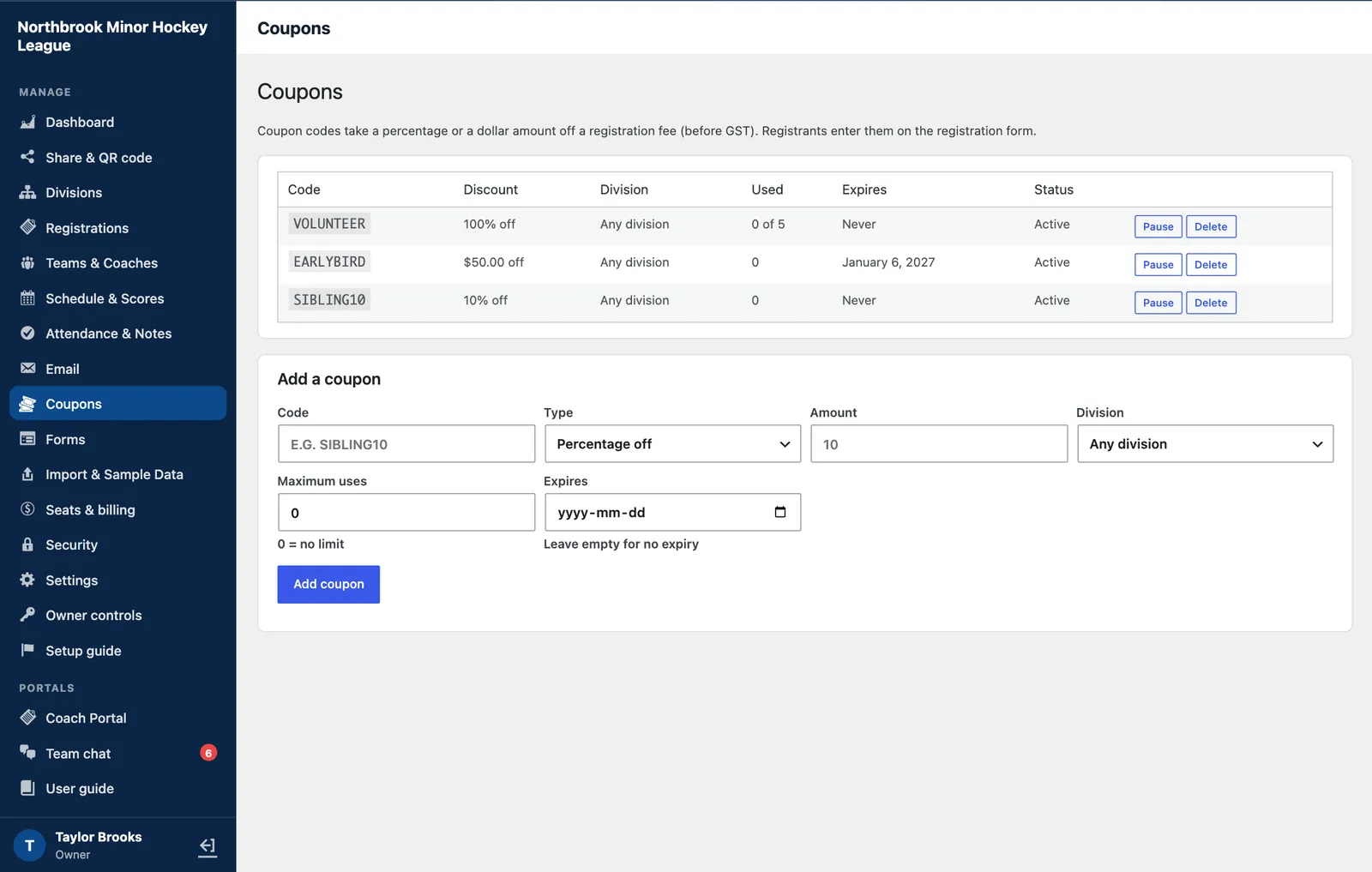
Discount codes for families and sponsors
Create a code for a sibling discount, a sponsor or a returning player. Set a percentage or a dollar amount, a limit and an end date.
- Percentage or fixed-amount discounts
- Limit a code to one division or the whole league
- See how many times each code was used
Ask exactly what your league needs
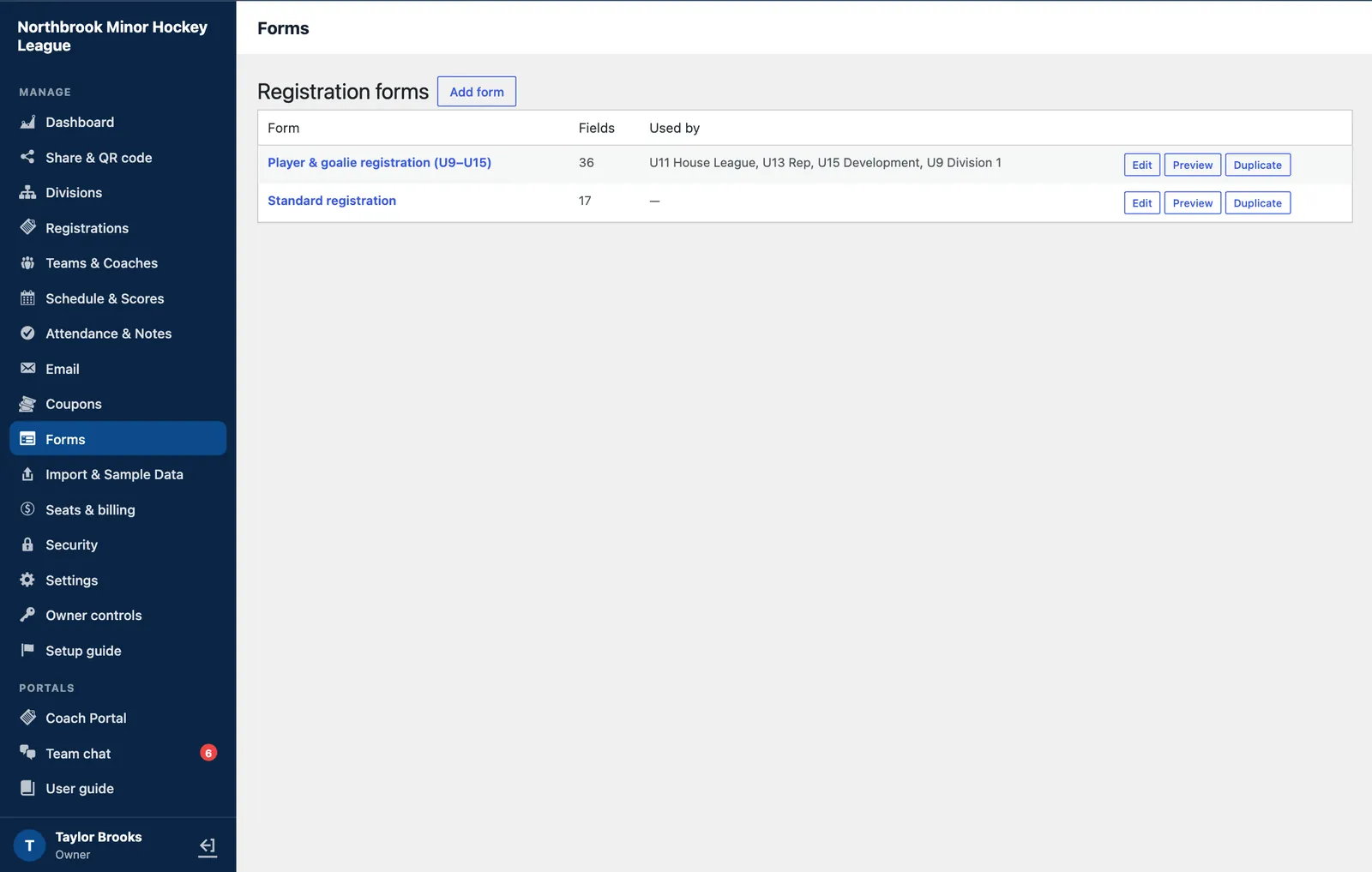
Add your own forms and questions: jersey size, medical information, volunteer hours or a code of conduct to sign.
- Required and optional questions
- Attach each form to the divisions that need it
- Answers saved with each registration
More SportsNavio features
How to set up registration payments for a new season
Registration payments work best when the form, the fee and the payment happen in one step. Families finish in a few minutes and you know who is paid.
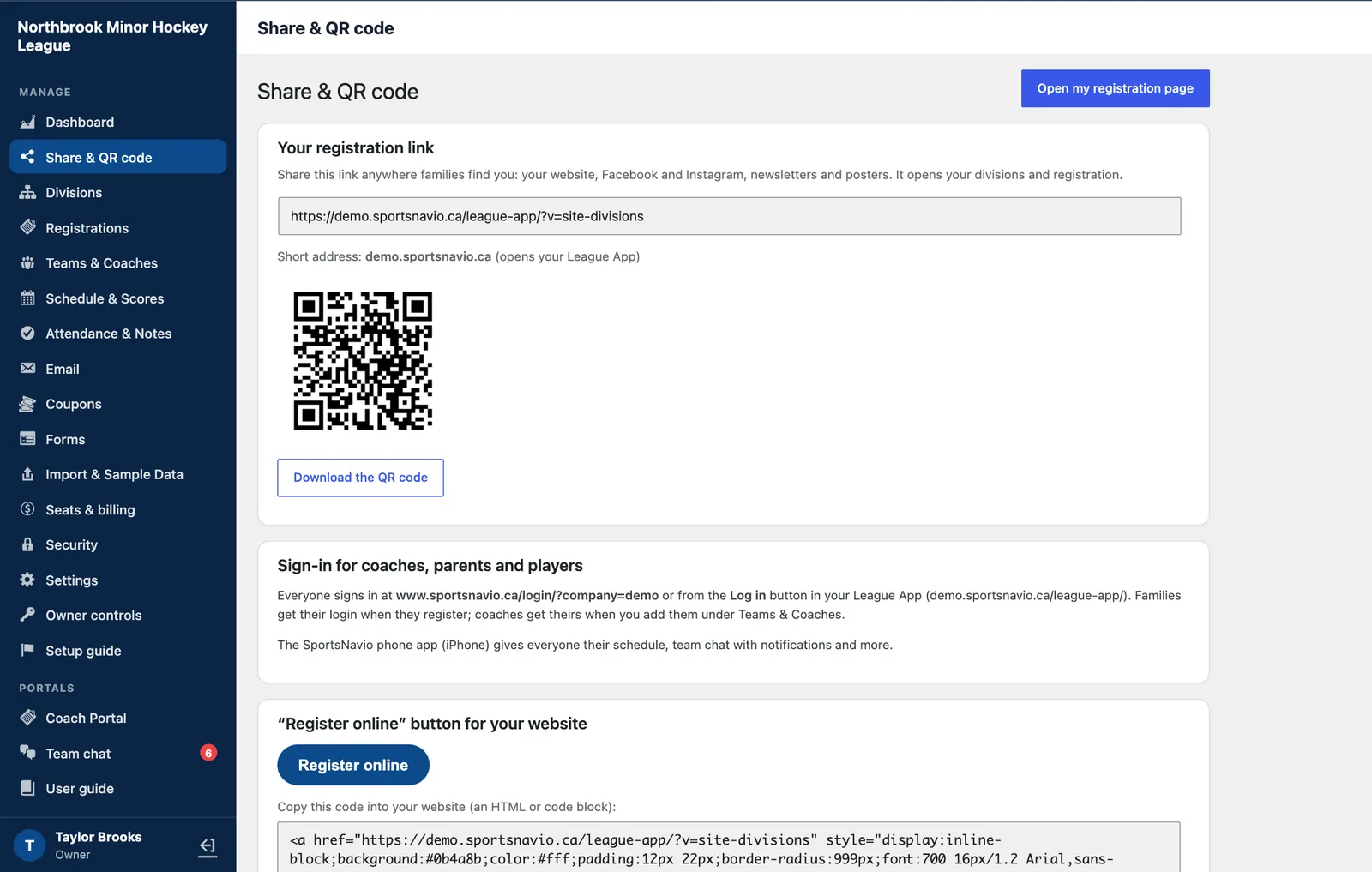
Set up divisions, custom forms and fees, then share one link or QR code. Waiting lists fill spots automatically when a division is full.
A registration payments checklist:
- ✓ Divisions and seasons set up.
- ✓ A custom form for each division.
- ✓ Fees and discount codes.
- ✓ A link or QR code to share.
Collecting consent by email? Read Canada’s anti-spam law (CASL). Start your 14-day free trial, open the live demo or see pricing.
Common questions
Can families pay when they register?
Yes. Payment is part of the registration form.
Is there a waiting list?
Yes. Waiting lists are built in.
Run your league on SportsNavio
14 days free, every feature included. Seats free for 12 months for non-profits & Sunday leagues.
 SportsNavio